Pink setup ideas
Ideas for a pink desk, including the ones that cost nothing.
welcome to my pink korner
Hi, I'm Andrea! My Pink Korner is where I build my own cozy pink gaming setup and tell you which desk gear is worth buying, because I own and use all of it myself 🙂
Cozy gaming setup ideas, pink gear guides and honest picks for a small desk.
start here
A cozy gaming setup is a desk or corner arranged for comfort rather than performance. Warm light instead of white, soft textures, small objects you like looking at and enough space cleared that sitting down feels calm.
Cozy gaming describes how the space feels, not what hardware is in it, so a cozy setup can be a handheld on a bedside table or a whole pink desk. A pink gaming setup is one version of it, and it's the version I build here.
See what a cozy gaming setup actually needs →pink gaming setup ideas, gear guides and gift guides
Everything here starts at one small pink desk. I try what I can, I say when I haven't, and I tell you whether something was worth it. No borrowed photos and no lists thrown together from listings.
Ideas for a pink desk, including the ones that cost nothing.
My pink gaming setup, item by item, with why each thing is there.
What a cozy setup actually needs, and what it doesn't.
The gear I own, grouped by what it does on a desk.
Cables, space and the fixes that make a small desk feel bigger.
Straight answers on the pink gear people ask about most.
What to get someone who likes cozy gaming, and what to skip.
Pink gear for PlayStation, Xbox, Switch and handheld consoles.
my desk
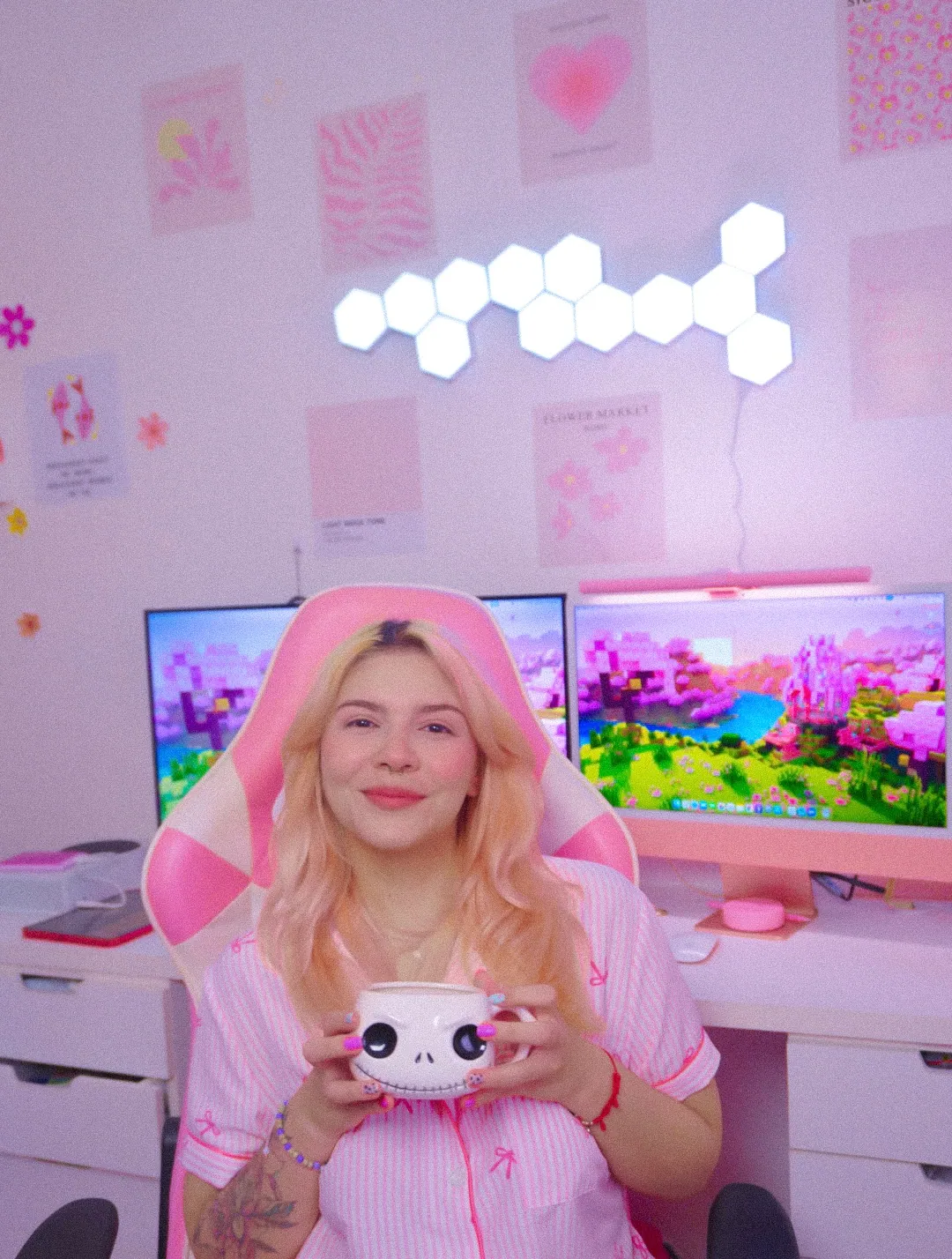
My desk is small and it took me a long time to get right. Warm light instead of the big overhead one, one shade of pink I kept coming back to, and everything I need within reach. Most nights it's a game, a candle and something warm to drink, and that's the whole point of it.
Every guide on this site starts here. If something's made it onto this desk, I've lived with it long enough to tell you the truth about it.

how i pick
Everything I write about goes through the same three checks before it makes it onto the site.
If something's on my desk, I'll tell you how it's actually held up. If it isn't, I'll say so and stick to what it is and who it's for. You'll always know which one you're reading.
I read the reviews nobody scrolls down to, put the options side by side and work out the things that only turn up once something's actually on a desk.
Not everything suits every desk. So I say who each thing's for, and the one detail that decides it, like the size or the exact shade of pink.
fresh posts
New pink gaming setup ideas, gear guides and small desk how-tos, newest first. This is where to look for what changed.

Fourteen cozy gaming gifts chosen for the person buying, plus six lovely products that are too easy to get wrong.
Read more →
The four products sold as controller skins, what each changes and the fit problem listings rarely explain.
Read more →
The 12 practical pieces that make a gaming desk feel warm, soft and personal, all under $100.
Read more →
A named, honest tour of 11 things currently living on Andrea’s pink gaming desk.
Read more →
say hi
I'm Andrea Garcia. I started My Pink Korner on Instagram in 2023, posting the pink gaming setup I was slowly building, and this site is where all of it lives now. I play on Xbox, PlayStation, Nintendo Switch, an ANBERNIC handheld and my Mac, so there's usually more than one thing going on at this desk.
More about me →faq
The things you ask me most, answered as simply as I can.
Change the light first. Warm light between 2700K and 3000K is what makes a desk read as cozy, and swapping one cool white bulb for a warm one does more than anything you can buy. Then add one soft thing your hands actually touch, like a mat or a throw over the chair.
Pick one pink and stay with it. Setups look cheap when three different pinks are fighting each other, not because the gear was inexpensive. Matte finishes and one repeated shade read expensive even when nothing on the desk was.
Less than you'd think. Warm light, one pink thing you genuinely love, something soft under your hands and somewhere to put your headset. Everything after that is decoration, and decoration is the fun part.
Get things off the surface. A stand for the headset, a tray underneath for the cables and a riser for the monitor give you back most of a small desk without buying a bigger one. Clutter on a small desk is almost always a storage problem rather than a space problem.
Warm, low, and coming from more than one place. A single overhead light makes any room feel like a kitchen. A light bar behind the monitor plus something soft glowing in a corner is most of the trick, and neither needs to be expensive.
Move what you already own before you buy anything. Rearranging, one warm bulb and one texture will change how a desk feels more than anything you could buy for the same money. Some of my favorite things up there cost nothing at all.
the girl behind the pink
Hi! I'm Andrea, and welcome to My Pink Korner :)
I'm detail-oriented, a pink lover and a goth girl at heart... almost all my clothes are black, but my room is completely pink. My hair has also been almost every color you can imagine, but pink will always be my favorite!
I started building my setup in 2020 when I began working online. Decorating my desk and finding cute little things for it quickly became one of my favorite hobbies, so in 2023 I created My Pink Korner to share it all with you.
Here you'll find cozy setup ideas and pieces for different budgets, whether you're starting from zero or adding one little detail at a time. I love finding things that look cute, feel comfortable and work well for everyday life.
I also love video games, music, my dogs and having a little corner that feels completely mine...
I hope My Pink Korner inspires you to create a space that feels like yours too! ♡
email me
Have a question, a partnership idea or a pink setup you want to share? My inbox is the best place to reach me.
Send me an email →follow along
Desk updates, cozy gaming moments and the little details I share between posts.
Pink setup ideas, gaming gear and cozy lifestyle posts.
your privacy
This policy explains what information My Pink Korner may receive, why it is used and the choices you have.
LAST UPDATED: SEPTEMBER 3, 2026The short version: I only use personal information to run My Pink Korner, send updates you request, understand how the site is used and keep it secure. I do not sell your personal information.
If you join the pink desk list, you provide an email address. The website sends that address directly to andrea@mypinkkorner.com so Andrea knows you joined. If you contact me through a social platform, I receive the information included in that message and the account details that platform makes visible.
Please do not send sensitive personal information through the newsletter form or social media.
When you visit My Pink Korner, the website host and services used on the site may automatically receive basic technical information. This can include your IP address, browser and device type, referring page, pages visited, approximate location and the date and time of a request.
This information is used to deliver the site, prevent abuse, diagnose problems and understand which pages are useful. It is not used by My Pink Korner to identify you by name.
Cookies are small files a website or service can place on your device. The site host, form delivery service and embedded services may use cookies or similar technology to remember settings, measure visits, prevent fraud or provide their features.
You can block or delete cookies in your browser. Some embedded content may not work correctly if you block them.
Information may be shared with service providers that help operate the site, such as website hosting, email delivery, security and traffic measurement services. They receive only the information needed to perform those services and handle it under their own terms and privacy policies.
Information may also be disclosed when required by law, to protect the rights or safety of My Pink Korner or others, or as part of a business transfer. My Pink Korner does not sell personal information.
My Pink Korner contains affiliate links to Amazon and may include embedded content from Instagram or other social platforms. When you open one of those links or embeds, the outside service may collect information under its own privacy policy. My Pink Korner does not control how those services use their data.
Amazon purchases, accounts, payments, shipping and returns are handled by Amazon or the seller, not by My Pink Korner. You can read the Amazon Privacy Notice for more information.
Personal information is kept only as long as needed for the purpose it was collected, to meet legal requirements or to resolve disputes. Email-list information is kept until you unsubscribe or ask for it to be removed. An email or form provider may keep a limited record under its own retention practices.
You can unsubscribe from marketing emails through the link included in each message or by emailing andrea@mypinkkorner.com. You can also change cookie settings in your browser and use the privacy controls offered by Amazon, Instagram and other outside services.
Depending on where you live, you may have rights to request access to, correction of or deletion of your personal information. You may also have the right to object to or restrict certain uses. I may need to verify a request before acting on it.
My Pink Korner is not directed to children under 13 and does not knowingly collect personal information from children under 13. If you believe a child has provided personal information, please let me know so it can be reviewed and removed.
Reasonable steps are used to protect information, but no website or online service can guarantee complete security. This policy may be updated when the site, its service providers or legal requirements change. The date at the top will show the latest revision.
For a privacy question or request, email andrea@mypinkkorner.com. Please do not include sensitive information in the first message.
the legit stuff
A clear explanation of how affiliate links work on My Pink Korner and how they support the site.
LAST UPDATED: AUGUST 31, 2026As an Amazon Associate I earn from qualifying purchases.
Some links on My Pink Korner are affiliate links. If you click one of these links and make a qualifying purchase, I may receive a small commission from the retailer. You do not pay an extra fee for using the link.
An affiliate link contains tracking information that lets the retailer know My Pink Korner referred the visit. A purchase is not guaranteed to qualify and commission rates can change.
My Pink Korner participates in the Amazon Services LLC Associates Program, an affiliate advertising program that allows sites to earn advertising fees by linking to Amazon.com.
Amazon does not own, sponsor or endorse My Pink Korner. I am not an Amazon employee and I cannot access your Amazon account, order, payment or shipping information. Amazon and its sellers are responsible for product listings, prices, availability, orders, delivery, returns and customer service.
A short disclosure appears before affiliate links on pages with product recommendations, including My Faves. Product cards also identify Amazon as the retailer. This full page provides extra detail, but it does not replace the clear notice placed near recommendations.
Affiliate links to Amazon are marked for search engines as sponsored links.
Affiliate commission does not guarantee a positive opinion or a place on the site. I choose products because they fit the subject of My Pink Korner and I explain whether a product is something I use, a researched pick or an item on my wish list.
I do not claim personal experience with a product I have not used. If a brand provides a free product, payment or another benefit for specific coverage, that relationship will be disclosed separately in the relevant post.
Amazon prices, availability, seller details and product specifications can change at any time. My Pink Korner does not promise that a product is in stock or that a price shown elsewhere is still current. Please check the Amazon product page before purchasing.
Product names and details are included to help you identify an item. Amazon and the applicable seller control the final listing and terms of sale.
When you click an Amazon affiliate link, Amazon may use cookies or similar technology to recognize the referral and determine whether a purchase qualifies for commission. That activity is handled by Amazon under its own policies. My Pink Korner does not receive your Amazon account, payment or order details.
For more information, read the Amazon Privacy Notice and the Amazon Associates Program Operating Agreement.
If you are unsure whether a link is an affiliate link, email andrea@mypinkkorner.com. I am happy to make the relationship clear.
pink gaming setup favorites
A curated list of the pink gaming gear, cozy desk accessories, lighting and small-space organizers I use, research or keep on my own wish list. Everything is grouped by what it helps you do, so you can find the right piece for your setup without digging through endless listings.
Affiliate disclosure: This page contains Amazon affiliate links. If you buy through one, I may earn a small commission at no extra cost to you. As an Amazon Associate I earn from qualifying purchases.
soft glow first
Monitor lights, wall panels and warm accents that make a gaming corner feel softer.
make room
Useful pieces for keeping a small desk tidy, comfortable and easy to live with.
off the surface
Pink stands that give headphones and controllers a proper home between sessions.
play in pink
Handhelds, controllers, covers and little gaming upgrades across console platforms.
the finishing touch
Soft, useful and joy-sparking pieces for the moments around the game.
how these make the list
A pink product still has to earn its place. These are the three things I look for before something appears here.
The best setup pieces solve something: bad lighting, loose cables, limited space or nowhere to put a controller. Cute is the bonus, not the whole reason.
If I own or use something, I say so. If a pick comes from careful comparison instead, I never pretend it has been sitting on my desk.
I look at color, size, finish and how the item works in a small cozy setup—not only how good the listing looks on its own.
faves faq
Short answers about how this page works and what the links mean.
No. Some are products I own and use, while others are researched picks or items on my wish list. I keep those distinctions clear whenever I write about a product in detail.
Yes. If you purchase through one of the Amazon links, I may receive a small commission at no extra cost to you.
No. Amazon prices and availability change often, so the button takes you to the live product page for the latest information.
They are grouped by purpose: lighting, desk organization, stands, gaming gear and cozy extras. That makes it easier to shop for the part of your setup you are working on.
I update it whenever something earns a place, a better option appears or a product is no longer useful to recommend.
the blog
Setup ideas, honest reviews, and the cute finds I can't stop thinking about.

Fourteen cozy gaming gifts chosen for the person buying, plus six lovely products that are too easy to get wrong.
Read the post →
Fourteen cozy gaming gifts chosen for the person buying, plus six lovely products that are too easy to get wrong.
Read more →
The four products sold as controller skins, what each changes and the fit problem listings rarely explain.
Read more →
The 12 practical pieces that make a gaming desk feel warm, soft and personal, all under $100.
Read more →
A named, honest tour of 11 things currently living on Andrea’s pink gaming desk.
Read more →
Seven monitor light bars compared by housing color, backlight, size and the measurements that prevent returns.
Read more →
Nine pink headphone stands ranked by fit, stability and the desk space they actually give back.
Read more →
The adhesive, panel limits, brightness and specifications worth checking before LED panels go on your wall.
Read more →
Seven genuinely different handheld types, where their games come from and the one Andrea reaches for most.
Read more →
Thirty-four practical pink setup ideas grouped by lighting, desk and wall, including nine changes that cost nothing.
Read more →
Thirteen no-drill ways to hide cables, ordered from reversible fixes to the methods that need more care.
Read more →
Andrea’s three-layer lighting formula, the Kelvin range she uses and where colored light does not belong.
Read more →
A practical Saturday-to-Sunday order for cables, lighting, the desk surface and the cozy finishing details.
Read more →There are no published articles in this category yet. The filter is ready for the next article.

My whole lighting setup is three lights: one warm one filling the room, one white one on my hands and one coloured one doing nothing useful at all. All three sit at roughly a third brightness and the ceiling light stays off.
That's the formula, and it took me far longer to arrive at than it should have, because my first instinct was to keep adding lights. More lights made the room brighter. They did not make it cozier... and it took me a while to work out why those were two different things.
Here's the version I run now, the number to look for on a bulb box and the one place in the room where pink light is the wrong choice.
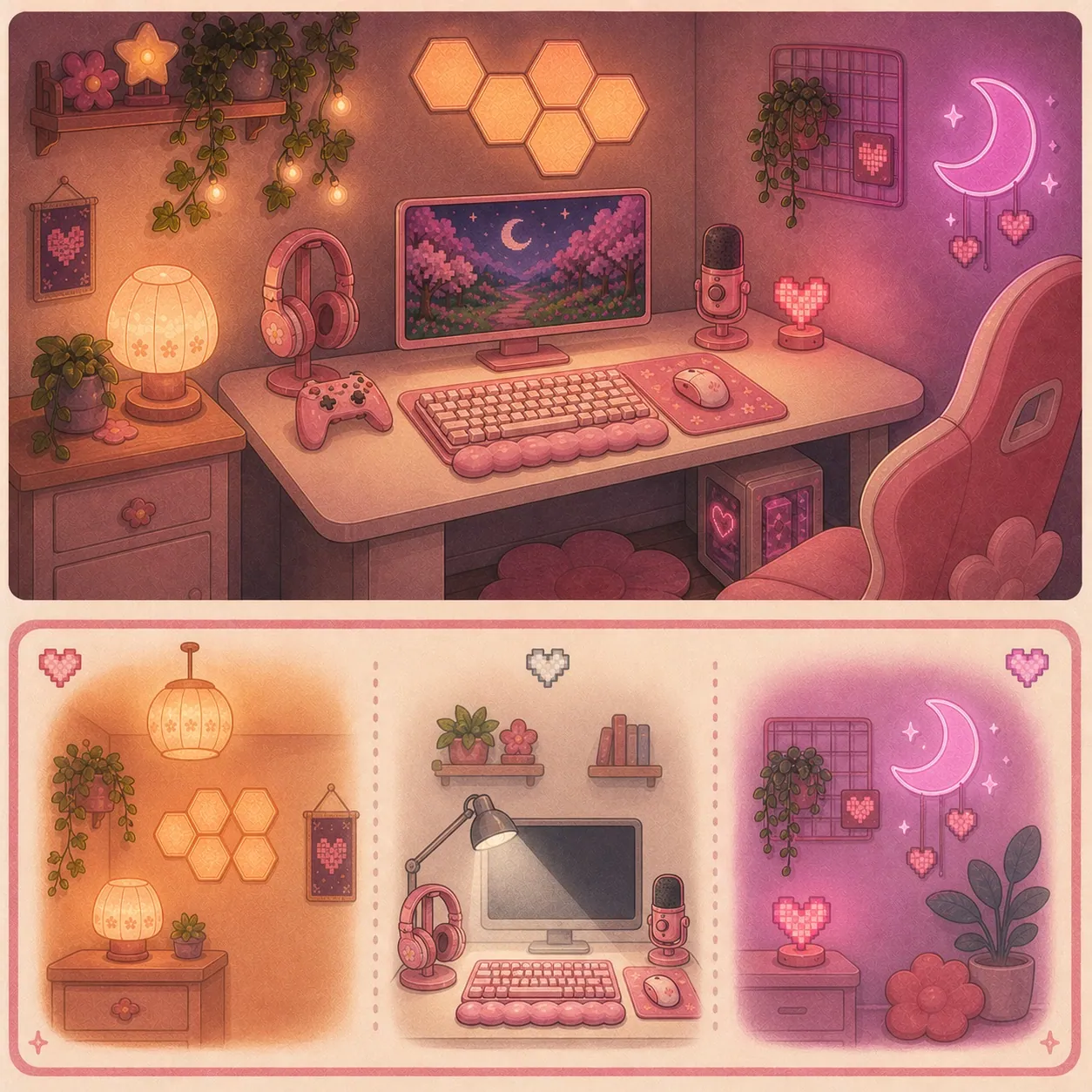
That's it. Four or five light sources in total, none of them bright and not one of them pointed at my face.
The thing I'd most want to pass on is that the count matters less than the brightness. A room with five lights at 30 percent looks like a room somebody lives in. The same five at 100 percent looks like a display stand, and I know that because mine looked like a display stand for a whole summer.
| Layer | What it does | How many | Brightness |
|---|---|---|---|
| Ambient | Fills the room so the screen isn't the only light source | 1 | Low, warm |
| Task | Lights your hands, your keyboard and your desk | 1 | Medium, white |
| Accent | Adds colour and detail, does no useful work | 2 to 3 | Low, whatever colour you like |
Ambient lighting is the base layer of light that fills a room without pointing at anything in particular. It's the layer that decides whether the room feels warm before you've noticed any individual light in it.
One source is enough. A lamp behind the desk, a lamp in the corner, a lamp on a shelf. What it can't be is the ceiling light, because overhead light comes from above every object in the room and flattens all of them at once.
The number you want is 2700K to 3000K.Westinghouse files that band as warm white and puts daylight at 4500K and up, and that gap is the entire difference between your bedroom and a dentist's waiting room.
Here's the annoying part. Warm white and soft white aren't standardised terms. One manufacturer calls 2000K to 3000K warm white, another labels 2700K as soft white and doesn't use warm white at all. So skip the words on the front of the box and find the Kelvin figure, which US law requires on the Lighting Facts label.
Two ways to do this layer:
If you already own a lamp, change the bulb. This is the cheapest change in the entire article and it's reversible in four seconds. A Govee Smart Light Bulb in the A19 E26 shape puts 800 lumens and a dimmer into a fitting you already have, with colour if you want it later. Most rooms have one lamp in them already doing nothing.
If you don't own a lamp, a cordless pink lamp with three colour temperatures runs 6 to 10 hours off an 1800 mAh battery and charges over USB, which makes it the only light in this guide with no cable to hide. If you'd rather one object did both layer one and layer two, the Govee RGBIC Smart Table Lamp 2 is a warm lamp and a colour source in the same shade.
One coloured light. Not five. This is the layer everybody over-buys, me very much included. It's also where restraint shows most.
Colour reads as intentional when there's one source of it and as chaotic when there are four fighting each other. Pick where the colour lives, then stop.
Along an edge, pointing away from you. A pink neon-style LED rope light under the front lip of the desk or along the back of a shelf gives you a glow with no visible source, which is the effect people are actually chasing when they buy strips. The silicone neon style holds a line better than a bare strip does, and it hides the individual diodes.
Standing on the desk, aimed at the wall.Govee Smart Light Bars sit either side of a monitor and throw colour backwards. They're the easiest of the three to move, and moving them is the whole point, because you won't get the position right first time.
If you rent and the wall is the problem, mount the panels on a pegboard and hang the pegboard instead. Everything goes up, nothing goes on the paint and you can take the whole arrangement with you.
Whatever you pick, run it low. I keep my panels somewhere around a third and I have never once wished they were brighter! Softer looks cozier both in the room and on camera, and at full brightness a small room starts looking like a nail salon.
Accent lights are the small ones that do no useful work at all. They light an object rather than a room, and they're the layer that stops a setup looking like it came out of a box.
This is the fun layer and the cheap one. Nothing here needs to be bright, because none of it is lighting anything you're using.
A sunset lamp projector throws a warm orange circle onto a wall and it's the single most photographed thing in this category for a reason. A dimmable flower candle warmer lamp gives you the candle glow and the melted-wax smell with no flame, which matters if you rent or if you're the sort of person who falls asleep at the desk. An RGB headphone stand is an accent light that also holds your headphones, and there are nine of them compared in the pink headphone stand guide, including the thing to know about plugging a wireless dongle into one.
One accent trick that costs nothing: put something reflective where a coloured light can hit it. A small mirror, a glass, a chrome figure. One reflection does more than a second light would, and there are thirty-three more free ideas like that in 34 pink gaming setup ideas.
And one thing about finishes, because it only shows up under coloured light: a glossy surface throws a hard hot spot back at you and a matte one glows. It's why a matte silicone controller cover looks softer under pink light than a glossy vinyl wrap does, which is one of several reasons the four types of controller skin are not interchangeable.
This is the one place in the room where I'd tell you not to put pink light, and it's the part of this guide I most changed my mind about.
Bias lighting is a light placed behind a screen, aimed at the wall behind it, so the screen isn't the brightest thing in your field of view. Every cozy setup guide tells you to put an LED strip back there. Almost none of them mention that the colour of that particular light changes how you see everything on the screen.
The people who do this professionally have a number for it. MediaLight, summarising the SMPTE recommended practice for bias lighting, gives two rules. The light behind the screen should be 6500K, the D65 white point. And it should sit at no more than 10 percent of the display's peak brightness, with around 5 percent being the level they suggest in practice.
Why it matters in a pink room: your eyes judge colour relative to whatever is around it. Put a strong pink light immediately behind your monitor and everything on the screen shifts away from pink to compensate. Skin tones go slightly green. Screenshots you take look wrong later on a different screen and you can't work out why.
| Where | What goes there |
|---|---|
| Directly behind the monitor | Neutral white, 6500K, dim |
| The wall beside or above the desk | Colour, as much as you like |
| Under the desk edge | Colour |
| Behind you | Colour |
If you want to do the behind-the-screen part properly, Luminoodle's True White bias lighting strip is a USB strip made for exactly this job rather than a colour strip set to white. A colour strip set to white is a reasonable second best, and most people won't see the difference :)
The honest bit: I don't run mine at 6500K every evening. I'm playing Stardew Valley rather than grading a film, and some nights the whole wall is pink because that's what I felt like. What changed is that I now know which of those two things I'm choosing. On the nights I'm photographing the desk, the light behind the screen goes back to white.
I run two sources, plus accents. That's fewer than people expect from a lighting guide, and it's deliberate.
A monitor light bar for the task layer. A monitor light bar is a slim LED bar that clips to the top of a monitor and lights the desk in front of it without shining onto the screen. Mine is the Quntis Pink Monitor Light Bar: 16.1 inches, 3000K to 6500K, 84 LED beads and Ra95 for colour rendering.
That Ra95 figure matters more than it sounds like it should. Colour rendering measures how truthfully a light shows colour on a scale where 100 is perfect, and it's the reason my pinks photograph as the shades I actually bought rather than as a slightly orange impression of them. Ra90 or above is what I'd look for on anything lighting a desk full of pink things.
Two things I wish I'd known: the bar is pink, the light it makes is white. And if you have a 27 inch or a curved screen, the 16 inch one is the wrong size, which is what the 20 inch version is for. The fit is what catches people out, so which pink light bar suits a small desk walks through what to measure first.
Hexagon panels for the colour layer. They sit above the desk and they're the only coloured light in the room. I run them low, almost always.
What I'd change: I'd trade a couple of my light sources for fake decorative vines. Softer, no cable to hide and more going on at eye level than a panel gives you. The panels are good. A year of living with them moved my taste.
What I regret buying is a galaxy projector. It's beautiful for about four minutes and I never turn it on. If you're weighing one up, that's my honest data point and I'd rather you had it than not.
Every light in the room, plus the other nine things on the desk, is in my full setup tour.
Three ways in, depending on what you already own. All three end up at the same formula.
| If you | Start with | Then add | Then |
|---|---|---|---|
| Own a lamp already | A warm bulb, and turn the ceiling light off | One colour source on the wall | One accent light |
| Own no lamp | A small warm lamp | A monitor light bar for the desk | One colour source |
| Only want one thing | A monitor light bar | Nothing. Live with it a month | Whichever gap you actually notice |
The third row is the one I'd pick for most people. A monitor light bar changes the layer you look at most, it takes up no desk space and it doesn't stick to anything. Then wait a month and find out what the room is actually missing, because it probably isn't what you'd guess today.
One practical note whichever row you're on: every light on this list has a cable, and four lights is four more cables on a desk that probably wasn't winning that fight already. How to hide cables on a small desk without drilling is the companion piece, and doing the cables before the lights saves you doing both twice.
If I'd started there I'd have bought fewer lights and liked the room sooner. The overhead is the enemy of every other light in the space and switching it off costs nothing, which makes it the highest-return change in this entire guide.
The mistake I made was buying colour first, because colour is the exciting part and warm white is not. A room lit only by coloured light at full brightness photographs beautifully and is a strange place to sit for three hours!
If you'd rather do this as a weekend project with the cables and the desk surface sorted at the same time, six tips to make any setup cozier in one weekend is the whole-room version with the order to do it in. The 12 things that actually matter covers what the Kelvin, CRI and lumens numbers mean if you want to go deeper on the box labels. Every light I own lives on my faves, and if you're buying any of this for somebody else, the cozy gaming gift guide has a whole section on things that light up. There's more about me and this corner on my about page.
One last thing, because it comes up: the only screen I'm happy to use with every light off is a handheld, because it's small and I control its brightness directly. The seven types of handheld retro console covers what you're choosing between there.
Three layers at low brightness with the ceiling light off. One warm ambient light at 2700K to 3000K filling the room, one white task light on your hands and desk and two or three small accent lights that do no useful work. Run all of it around a third.
2700K to 3000K. Westinghouse files that as warm white and puts daylight at 4500K and up. The Kelvin number is required on the packaging, so look for the figure rather than the words on the front of the box.
Not if you care what colours look like on the screen. The bias lighting standard summarised by MediaLight asks for 6500K neutral white at no more than 10 percent of your display's peak brightness. A strong pink light directly behind a monitor shifts how you perceive everything on it. Put the pink on the side walls instead.
Four or five sources, none of them bright. One ambient, one task, two or three accents. The count matters far less than the brightness, and five lights at a third looks lived in where five at full looks like a shop display.
Bias lighting is a light placed behind a screen and aimed at the wall behind it, so the screen isn't the brightest thing in your field of view. The published guidance is neutral white at 6500K, kept to around 5 to 10 percent of the screen's peak brightness.
Usually the colour rendering of your light. Ra measures how truthfully a light shows colour out of 100, and cheap lights sit low and skew warm. Look for Ra90 or higher on anything lighting a desk full of pink things, and check whether a listing publishes the figure at all.
No. A room lit entirely in warm white with no colour at all reads as cozy, and it's the version that still looks good in daylight. Colour is the layer you add when the warm one is already right.
Yes, and the only part worth thinking about is the adhesive. Bulbs, lamps, light bars and standing light bars leave nothing behind. Wall panels and strips are the ones with a moving-out day attached, so mount those on a pegboard if you'd rather not test your landlord's paint.
Warm, at 2700K to 3000K, for how the room feels. The exception is the light directly behind your screen, which wants to be neutral at 6500K so it doesn't shift the colours you're looking at. Those two things sit about three feet apart and want opposite settings, which nobody warns you about.