12 Cozy Gaming Setup Essentials Under $100: THE Guide!
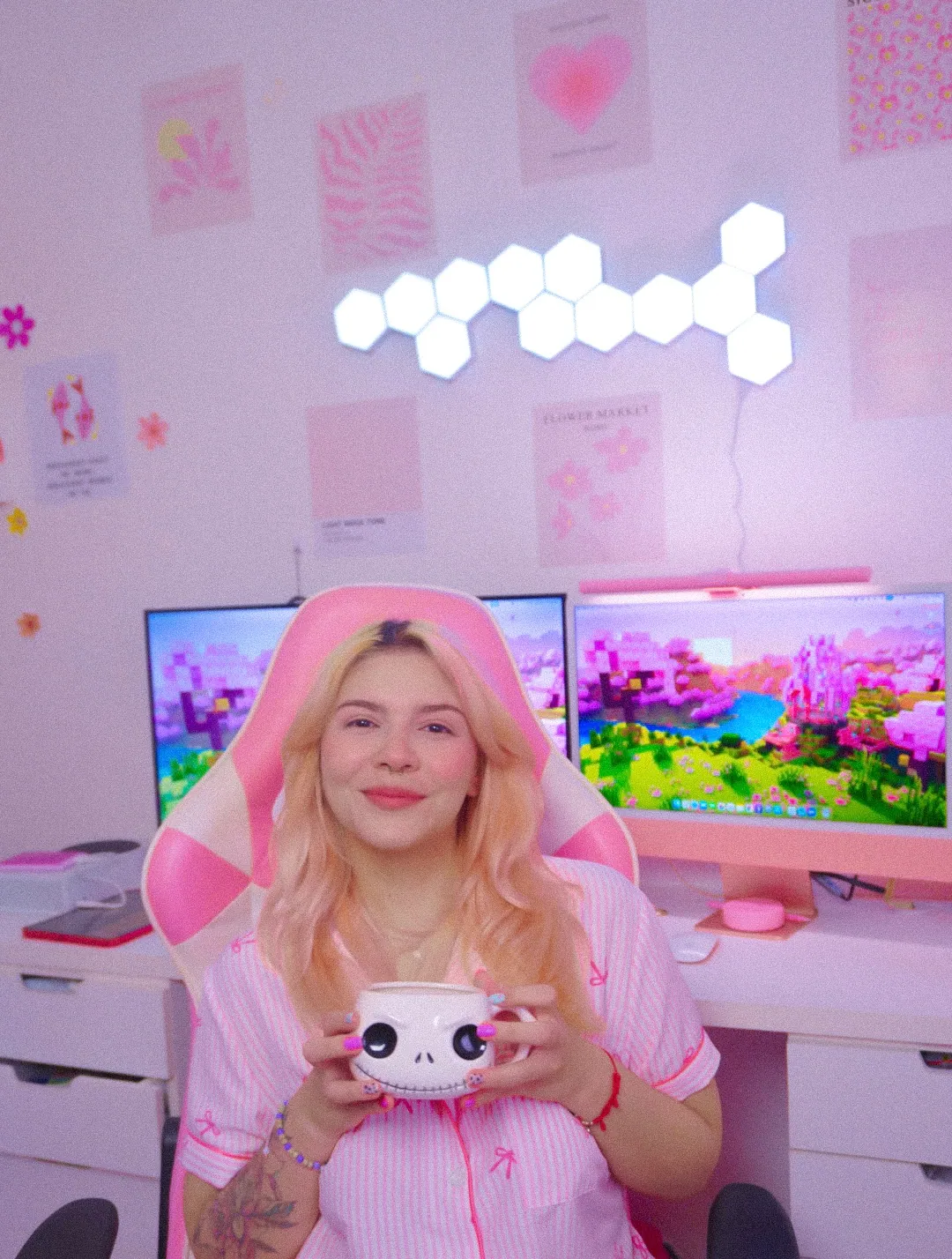

A cozy gaming setup is a desk where the light is warm, the things your hands touch are soft and nothing on it is fighting for your attention.
That's the whole idea, and the lovely part is that almost none of it is expensive. Every single thing on this list sits under 100 dollars, which is why you won't find a desk or a chair here. Those matter, obviously. They're also a different conversation and a very different receipt.
Here are the 12 things that made my corner feel like mine, roughly in the order I bought them ♡
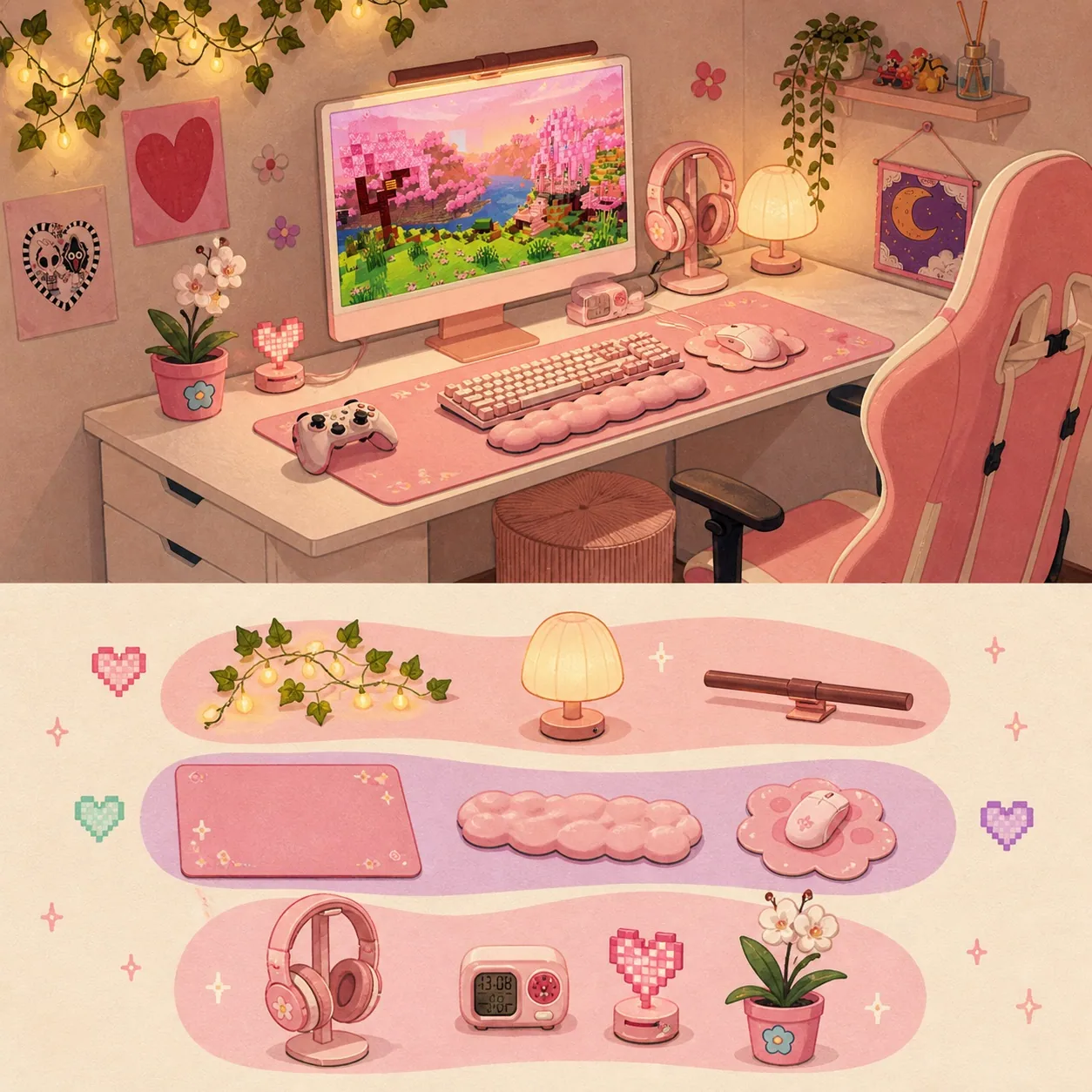
What is a cozy gaming setup?
A cozy gaming setup is a desk where the light is warm, the things your hands touch are soft and every object on it either earns its space or gets moved somewhere else.
Three layers, and they go in that order because that's the order you notice them in.
Light is what your eye reads first, before it reads a single object! Texture is what you feel in the first 10 minutes of sitting down. Personality is the layer that makes the corner yours instead of a room from a catalogue, and it comes last because it's the one nobody can shop for you.
Here are the 12 things, grouped by layer.
| Layer | The 12 things | What the layer does |
|---|---|---|
| Light | A warm bulb · a monitor light bar · one colour source on the wall | Sets the mood of the whole room before you put a single object down |
| Surface | A desk mat · a headphone stand · cable management · a phone holder | Softens what your hands touch and clears what your eye trips over |
| Personality | A pink controller · a console skin · comfy headphones · an instant camera · one thing that doesn't plug in | Stops your corner looking like everybody else's corner |
My desk is a plain one and it cost less than the headset sitting on it. I spent six months convinced I needed a better desk... turns out I needed a better lamp!
The best lighting for a cozy gaming room, and what comes first
Warm light between 2700K and 3000K is what makes a desk read as cozy, and it's the cheapest change on this whole list.
Three light sources, and that's genuinely all I run.
1. One warm bulb you actually control
Swapping the bulb in a lamp you already own is the free version of this, and the number you want is printed right there on the box.
Westinghouse puts warm white at 2000K to 3000K and daylight at 4500K and up. That gap is the difference between your bedroom and a dentist's waiting room.
Here's the slightly annoying part. "Warm white" and "soft white" aren't standardised words. Westinghouse calls 2000K to 3000K warm white. Feit labels 2700K as soft white and doesn't use warm white at all. Same bulb... completely different vibe on the packaging.
So ignore the words on the front and find the Kelvin number, which US law requires on the Lighting Facts label on a scale running from 2600K to 6600K.
There's a reason to go warm at night beyond the way it looks. In a Harvard study, blue light suppressed melatonin for about twice as long as green light and shifted circadian rhythms by 3 hours against 1.5. I'm not going to pretend one bulb fixed my sleep. It's nice knowing the cozy setting is doing something though.
2. A monitor light bar
A monitor light bar is a slim LED bar that clips onto the top of your monitor and lights the desk in front of it without shining into the screen.
It does a desk lamp's job and takes up zero desk space, which on a small desk is basically the entire argument.
Mine is the Quntis Pink Monitor Light Bar, and here's the thing I wish somebody had told me first: the bar is pink, the light it makes is white. I was a little disappointed for about a day... and then I got over it, because the light it makes is genuinely lovely!
| Spec | Mine |
|---|---|
| Length | 16.1 inches |
| Colour temperature | 3000K to 6500K |
| Colour rendering | Ra95 |
| LED beads | 84 |
| Fits | Flat monitors 0.4 to 1.2 inches thick |
| Mounting | Weighted clamp, no screws, nothing sticky |
It isn't perfect and I'd rather say so. If you sit low enough in your chair you can catch the little LED hot spots along the top of the screen. I sit fairly high and I forget they exist :)
I wrote a whole page on which pink light bar fits a small desk and what to measure first, because the fit is the bit people get caught out by.
3. One colour source on the wall, not five
One coloured light behind your setup is enough. I have hexagon LED light panels above my desk and I keep them low almost all the time, because softer looks cozier both in the room and on camera. Full brightness makes a bedroom look a bit like a nail salon.
Two things worth knowing before you stick anything to a wall:
- The adhesive is a decision about the wall, not about the desk. It's going up there for a while.
- One power adapter has a panel limit. On Govee's Glide Hexa panels that limit is 12. Ordering 20 and finding out afterwards is a very specific kind of sad!
Now for the bit that confused me for ages.
Most cozy advice says to put a warm light behind your monitor. The actual technical standard for a light behind a screen, called bias lighting, is 6500K, matching the D65 white point monitors are calibrated to, with a CRI of at least 90 and a brightness no more than 10 percent of the screen's brightest spot.
Those two pieces of advice point in opposite directions, and both are right, for different jobs.
- Editing photos and care about accurate colour? 6500K behind the screen is what you want.
- Want your corner to feel warm at 11pm? Put the warmth in the lamp beside you and let the wall glow be whatever colour makes you happy.
I do the second one, because I'm colour grading absolutely nothing :)
What to put on your gaming desk, and what to take off
The desk surface is the layer you feel rather than see, and it's where clutter does the most damage.
Four things, and two of them are about taking objects off the desk instead of adding them.
4. A desk mat, in the right size
A desk mat is a big fabric mat that covers most of your desk surface. It softens everything your hands touch and it visually pulls the whole desk together, which is the fastest way to make a cheap desk look considered.
The main thing is getting the size right, because the listings can be a bit confusing.
| Size name | Millimetres | Inches | Suits a desk depth of |
|---|---|---|---|
| XXL | 800 by 300 | 31.5 by 11.8 | 20 inches or less |
| Extended | 900 by 400 | 35.4 by 15.7 | 24 inches or more |
Measure your desk depth before anything else. I have seen a lot of very sad mats hanging off the front edge of a desk and it's always the same reason.
5. A headphone stand
A headphone stand gives the biggest object on your desk somewhere to live, which is why a desk with exactly the same amount of stuff on it suddenly looks tidier.
Mine is the VCOM RGB Gaming Headphones Stand. It holds the headset plus a couple of controllers and it has two USB ports in the base.
One honest note on those ports. They charge at 5V and 1A and that's it. No data and no fast charging, and it needs to stay plugged in to light up at all. I still love it, because the controllers having a home is worth more to me than the RGB ever was.
6. Cable management
Cables are the thing that makes a lovely desk look unfinished, and the fix costs less than a takeaway and takes one afternoon.
- Adhesive clips along the back edge of the desk
- A sleeve for the bundle that drops to the floor
- A small box to hide the power strip
The trick is the order:
- Unplug everything
- Group the cables by where they end up, not by which device they belong to
- Clip
Grouping by destination is the part that makes it stay tidy, and I only worked that out on my third attempt. There's a longer piece coming on doing this in a room you rent and can't drill in.
7. A phone holder
Your phone is going to be on this desk whether you planned for it or not, so it may as well have a spot instead of lying face down between your keyboard and your drink.
I use a foldable magnetic phone holder with a suction base, which folds flat when I'm not using it.
One thing to check with any magnetic holder: the magnet needs MagSafe or a metal ring plate on your phone. A plain plastic case won't hold it. Nothing in the listings mentions this and it's the reason most of the one-star reviews exist.
Cozy gaming accessories that make the setup yours
This is the layer that stops your corner looking like every other corner. Five things, and the last one isn't something you shop for.
8. A controller in the colour you actually wanted
Your controller sits out on the desk all day, so its colour is something you look at far more than you use.
Microsoft has kept the Xbox Wireless Controller in Deep Pink in the standing line since 3 May 2022, and it's the pink I have. It's a vivid pink face with black accents, so it reads brighter than everything else on my desk. That contrast is on purpose now. It was an accident at first.
Two things people get caught out by. It ships with 2 AA batteries rather than a rechargeable pack, good for up to 40 hours. And there's no USB-C cable in the box.
9. A console skin
A console skin is a vinyl wrap that sticks to the outside of a console or a controller and changes its colour without changing anything about how it works. It's the cheapest thing on this whole list and it comes off again if you change your mind.
I have one on my PS5 controller and a full vinyl set on my Xbox Series S, and honestly they did more for how the corner looks than the price suggests they should :)
Read the listing title twice before ordering. Xbox Series S and Series X skins are different products with nearly identical titles, and PS5 Disc, Digital and Slim are three separate shapes again. There's a piece coming on whether skins damage what's underneath, because that's the question that stops most people ordering one.
10. Headphones you can wear for three hours
Comfort beats sound quality on a cozy setup, because the whole point is staying there for a long time.
I use the Razer BlackShark V2 X in the colourway Razer calls Quartz Pink, which is a soft dusty pink rather than a bright one. It weighs 8.5 oz, has 50 mm drivers and memory foam cushions.
It's wired on a 3.5 mm cable and that catches people out. There's no wireless version in Quartz Pink. I made peace with it fast, because at 8.5 oz I stop noticing it's on my head and I'd rather have that than one more thing to charge.
11. Something that prints
A cozy corner needs something on it that isn't a screen, and the easiest version of that is a photo you can hold.
I have the Fujifilm Instax Mini 12 in Blossom Pink. It prints 3.4 by 2.1 inch photos, roughly credit card size, in about 90 seconds.
Two things nobody mentions:
- Film isn't in the box and it comes in packs of 10
- The flash fires on every single shot with no way to turn it off
That second one is a real limitation and also, weirdly, half the charm. The prints come out slightly soft and slightly bright and a bit dreamy. If you want sharp photographs this is the wrong camera and you'll be annoyed. If you want six softly glowing pictures taped above your monitor, it's perfect.
12. One thing that doesn't plug in
The last one isn't something you shop for.
A plant. A candle. A little ceramic thing. A bow on the corner of a shelf.
One object with no function at all, and it's the thing that makes a corner read as a person's room instead of a gear list. My desk has four or five of them and together they cost about as much as a coffee.
Kelvin, CRI and lumens, the numbers on the box explained
Four numbers cover nearly everything on this list, and once you know them the listings get so much easier to read.
| Number | What it measures | What to look for |
|---|---|---|
| Kelvin (K) | The colour of the light | 2700K to 3000K for evening. 4000K and up reads as an office. 6500K is daylight |
| CRI (Ra) | How truthfully a light shows colour, out of 100 | 90 or higher on a desk. If a listing skips this number entirely, that tells you something |
| Lumens | How much light comes out | Around 450 to 500 for general desk work. Watts is not brightness, watts is electricity |
| Inches | Desk depth and screen distance | Depth decides your mat. Your screen sits 20 to 28 inches from your eyes |
A little more on two of those.
CRI matters more on a pink desk than almost anywhere else, because it decides whether your pinks show up as the shades you actually bought or as a slightly orange impression of them. The US Department of Energy notes 80 or above as the conventional minimum, and 90 plus is what you want when you're looking at your own hands, your keyboard and a lot of pink things all evening.
Screen distance comes from the American Optometric Association, which puts your monitor 20 to 28 inches from your eyes and 15 to 20 degrees below eye level, about 4 or 5 inches down from straight ahead. On a shallow desk that's worth a quick check.
The lumens guidance comes from BenQ, who sell lamps, so take it in that spirit.
How to build a cozy gaming setup under 100 dollars
This is the order I actually spent mine in, and it's the order I'd use again.
| Order | What | Why it came first |
|---|---|---|
| 1 | A warm bulb, or a monitor light bar if there's no room for a lamp | Nothing else moves the feeling of a room this far per dollar |
| 2 | A headphone stand | Getting the biggest object off the surface does more than adding anything ever will |
| 3 | Cable clips and a sleeve | Cheap and quick, and the whole difference between finished and unfinished |
| 4 | Whatever's left, on the personality layer | A skin, one print, one thing that doesn't plug in |
The sequence matters. Light, then clear space, then tidy, then personality.
Go the other way round and you end up with a cluttered desk full of cute things sitting under a ceiling light, which is exactly what mine looked like for the first six months. I have photos... they are absolutely not going on the internet!
What I left out of my cozy gaming setup, and why
A gaming chair or a desk. Both matter and both blow past the 100 dollar ceiling this list is built around, so they get their own conversation another day. If your chair is already comfy, that money goes an incredibly long way on light.
RGB on everything. A keyboard and a mouse and a mousepad and a headset all cycling colours at once starts to feel busy rather than cozy, at least to me. One colour source is the rule I keep and it took me a while to land on it.
A ring light, for now. I want one, I haven't bought one, so it isn't here yet. When I've actually used one I'll tell you what I think.
Cozy game recommendations. There are so many lovely people writing those and they do it much better than I would. I'll stick to the desk :)
Where to start with your own cozy gaming setup
The three layers really are the whole thing. Warm light, soft surfaces, a few personal objects, in that order. Your corner will feel different before you've spent very much at all.
Light is the layer I'd defend hardest. My monitor light bar changed how this room feels at night more than anything else in it, and it handed me back the piece of desk my lamp used to stand on.
The layer everyone underrates is the last one, every time :) Twelve things sounds like a lot until you notice that number 12 costs almost nothing and does more for how a corner reads than half the list above it ♡
Cozy gaming setup FAQ, the questions I get asked most
What is a cozy gaming setup?
A desk where the light is warm, the surfaces are soft and every object on it earns its space. Three layers, in that order.
What are the three things that make a setup feel cozy?
Warm light, soft texture on the surfaces your hands touch and a few personal objects. Light does the most work by a distance.
How much does a cozy gaming setup cost?
Everything on this list is under 100 dollars and most of it is well under. If you already have a desk and a chair, about 50 dollars on a warm bulb and clearing the surface changes how the corner feels. A piece with three full budgets is coming.
What is the best lighting for a cozy gaming room?
A warm lamp at 2700K to 3000K beside you, a monitor light bar for the desk surface and one coloured light on the wall. Three sources, all of them turned down.
What is the difference between a monitor light bar and an LED strip behind the monitor?
A light bar clips on top and points down at your desk, so it lights your keyboard and your hands. A strip behind the monitor points at the wall, so it lights the background and softens the contrast against a bright screen. Different jobs, and plenty of people run both.
What colour temperature should I use for gaming at night?
2700K to 3000K on the lamp beside you. A light behind the screen for accurate colour is a different job and the standard for that one is 6500K, which will look cold sitting next to a warm lamp.
Do I need a big desk for a cozy setup?
Not at all. Mine is small and most of this list is built around not having space, which is exactly why a monitor light bar beats a desk lamp here. Compact desks run roughly 32 to 47 inches wide and all of this works at the bottom of that range.
Does a cozy gaming setup have to be pink?
No, mine is pink because I love pink. The three layers work in any colour. The only rule I'd keep is picking one colour and letting the rest of the desk stay quiet.