How to Hide Cables on a Small Gaming Desk, 13 Ways Without Drilling


Every cable guide I read told me to stick something to my desk and not one of them told me what that does to the desk.
So I went and read the manufacturers' own documents instead. It turns out 3M classes paint as a low adhesion surface, tells you particleboard has to be sealed first, publishes no weight rating at all for the cord clips they sell for cables and gives two different answers for how long to wait after painting.
None of that is on any page in this niche. It's all below, along with 13 methods ordered by how much they cost your desk, starting with the ones that cost it nothing at all.
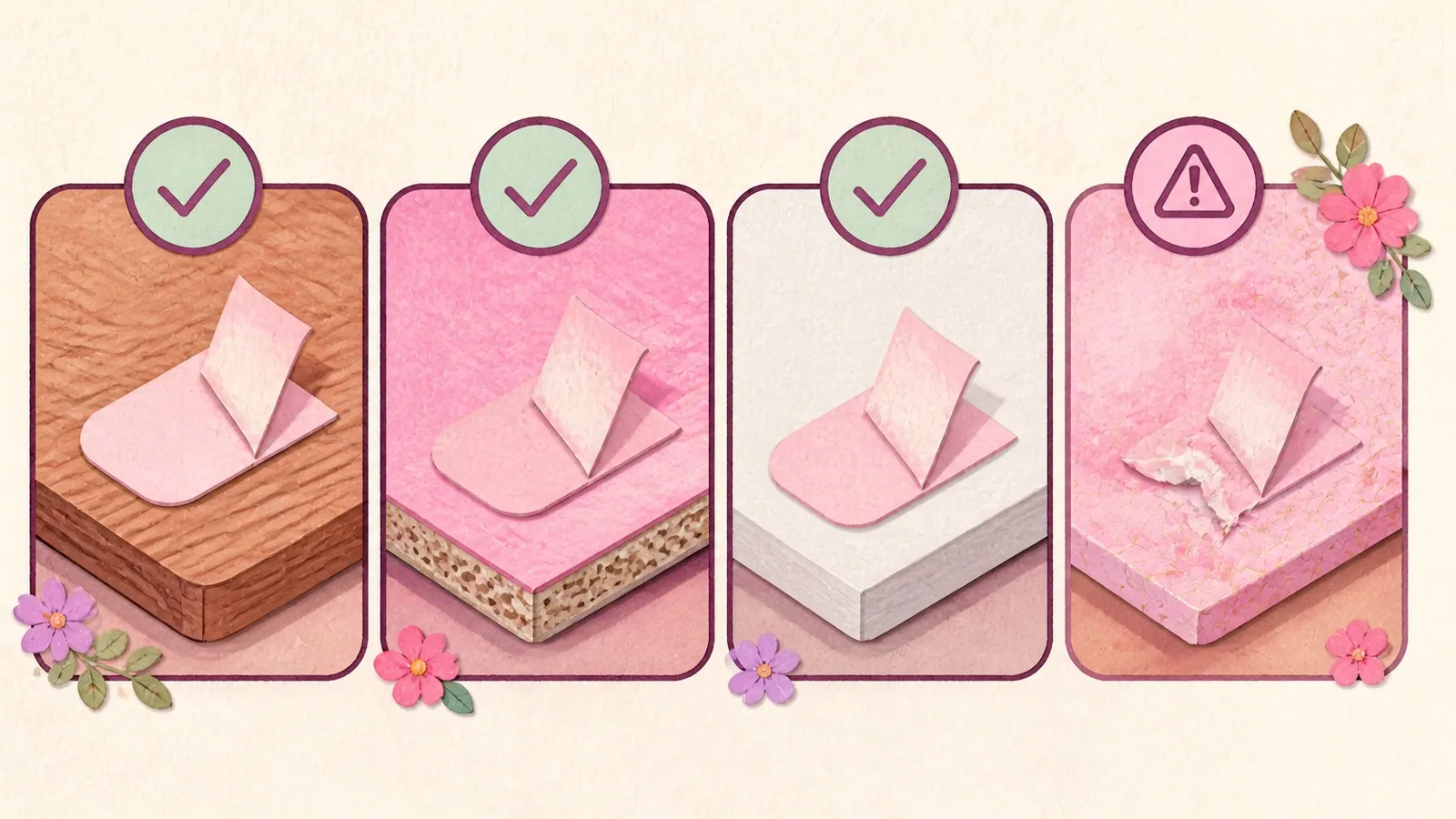
First, what is your desk actually made of?
Not one cable guide asks this and it changes every answer on the page.
Take the IKEA LINNMON, which is probably the most common desk in this whole corner of the internet. IKEA lists the top as fibreboard with acrylic paint, the frame as particleboard and the filling as honeycomb structure paper. It's 1 3/8 inches thick and it has no back panel.
So for that desk: a wood screw goes through a few millimetres of fibreboard and then into paper, with nothing to grip. A magnet finds no steel anywhere. And the adhesive is bonding to acrylic paint over an unsealed porous core, which is the exact situation 3M's own technical bulletin warns about.
Four quick things to check before you buy anything:
| Check | Why it decides the method |
|---|---|
| Is there a back panel or rail? | If not, you have nothing to hide behind and you have to make a hiding place |
| What's the top faced with? | Melamine is on 3M's supported list. Paper foil and vinyl are on the do-not-use list |
| How thick is the top? | Clamp trays have a fixed throat. Measure before you order |
| Is any part of it steel? | If not, every magnetic mount is a returned parcel |
The IKEA MICKE, for comparison, is described by IKEA as having a design at the back that hides cables. Same shop, completely different answer.
The 13 no-drill methods, cheapest to riskiest
Ordered by what each one costs your desk, not by how well it works. The first four cost it nothing at all and I'd exhaust those before sticking anything to anything.
| # | Method | What it costs the desk | Works with no back panel |
|---|---|---|---|
| 1 | Velcro ties | Nothing | Yes |
| 2 | Shorten the run | Nothing | Yes |
| 3 | Move the power strip | Nothing | Yes |
| 4 | Flat-plug power strip | Nothing | Yes |
| 5 | Cable sleeve | Nothing | Yes |
| 6 | Cable box on the floor | Nothing | Yes |
| 7 | Binder clips on the rear edge | Edge pressure | Yes |
| 8 | Route down the monitor stand | Nothing extra | Yes |
| 9 | Adhesive clips underneath | Small adhesive pads | Yes |
| 10 | Clamp-on under-desk tray | Two clamp points | Yes |
| 11 | Power strip mounted underneath | Load-bearing adhesive | Yes |
| 12 | Adhesive under-desk tray | Large load-bearing adhesive | Yes |
| 13 | Adhesive raceway | Continuous adhesive on paint | Yes |
1. Bundle everything with velcro ties first
Before you hide a single thing, wrap the runs. Seven cables going the same direction become one cable going that direction, and now you have one thing to deal with instead of seven.
Reusable velcro ties cost your desk nothing, come off in a second and can be redone every time you change something. Zip ties do the same job and you have to cut them off, which on a desk that changes is annoying rather than tidy.
Worth a number: some hook-and-loop tie packs publish a tensile strength around 42 lb. Hold that against the 5 lb ceiling on the strongest Command strip and you can see which part of a cable setup is actually strong.
2. Shorten the run before you hide anything
This is the one that gets skipped and it's the one that works best.
Slack is what looks messy. A 6 ft cable spanning a 14 inch gap has four and a half feet of loop that has to go somewhere... or you can just not have the loop.
Replace the worst offenders with cables the length you actually need and half the problem stops existing. Captive cables, like your monitor's power lead, can't be shortened, so those are the ones the rest of this list is for.
3. Move the power strip so it sits under what it powers
Same idea from the other end. If the strip is across the room, every cable has to travel across the room. Put the strip directly beneath the devices and every run gets shorter at once.
Free, takes five minutes. On a small desk it's the single biggest visual change you can make without buying anything.
4. Swap to a flat-plug power strip
A normal plug sticks out of the wall far enough that your desk can't sit flush against it, and that gap is where cables go to look terrible.
A flat-plug strip lets the desk sit back against the wall. This one states UL Listed in its own listing, which most of them don't, and it's rated at 620 joules.
It's a substitution rather than an addition, which is why it's this high up the list.
5. Sleeve the drop from desk to floor
A cable sleeve is a neoprene tube, split down one side, that swallows a bundle and turns it into one smooth cylinder. On a desk with no back panel it's the method that helps most, because your cables have to drop to the floor in the open and this makes that drop one line instead of seven.
The reversible black and white one is the pick for a white desk, and it's about as close to a white sleeve as the market gets.
Two honest costs. A sleeved bundle is fatter and stiffer than the loose cables were, which on a shallow desk can be more visible rather than less. And swapping one cable means unsleeving the whole run.
6. Put a cable box on the floor
A lidded box that swallows the power strip and the brick pile. Nothing sticks to anything and it's completely reversible. What it costs you is floor space.
The D-Line box is the only one I found that publishes its internal dimensions and a maximum power strip length, at 12.75 by 5 by 4.5 inches for strips up to 10.5 inches. Every other box leaves you guessing whether your strip fits, which is a strange thing for a box to leave you guessing about.
One caution and I'd rather over-explain it. The Electrical Safety Foundation's guidance is that if a cord is covered, heat cannot escape. No safety body publishes guidance on these boxes specifically, so nobody can tell you they're safe. Keep it uncrowded, keep anything with a vent or a fan out of it and don't seal a charger that runs warm inside one.
7. Binder clips on the rear edge
For the cables you unplug every day. Clip a large binder clip to the back edge of the desk and thread the cable through the looped handles, so when you unplug your headset the end stays on the desk instead of vanishing behind it.
Free if you own binder clips. Two real costs though: you need a large one to open around a 1 3/8 inch desktop, and binder clips look like office stationery, which on a pink desk is a genuine objection rather than a nitpick.
8. Route down the monitor stand
Your monitor's neck is already a vertical line going the right direction. Velcro the cables to it and they drop in one tidy run instead of crossing the desk.
If you have a monitor arm this works even better, since the post is longer and a lot of arms ship with a clip-on cover. Nothing extra to buy, nothing extra stuck to anything.
9. Adhesive clips on the underside of the top
Now we're sticking things down, and the underside is where to do it because nobody ever sees it.
Multi-slot silicone clips in the 7-5-3-1-1 configuration hold several cables in one block. The important rule, and it's the one people break: an adhesive clip is not load-bearing hardware. If the cable is pulling down on the clip rather than resting in it, it's the wrong tool and it will let go in a month.
10. Clamp-on under-desk tray
This is the best single method for a small desk with no back panel, because it creates the hiding place your desk doesn't have. Two screw clamps grip the desktop from above and below, the basket hangs underneath, the strip and the brick pile live in it.
No adhesive and no drilling. Clamp trays come in white, black and cream. They don't come in pink.
Measure your desktop thickness before you order. The clamp throat is a fixed size and a 1 3/8 inch top is thicker than some of them open. Also sit down and check where your knees go, because a small desk has less room for you to have got that wrong.
11. Mount the power strip to the underside
The power strip is the biggest single object in a cable mess, so getting it off the floor changes more than anything else on this list. Velcro squares or Command Large Picture Hanging Strips, stuck to the underside of the top.
And here's the number nobody publishes. Command's own weight limits top out at 5 lb for a large hook or large refill strip, and 4 lb per set for large picture hanging strips. A 12-outlet strip with six wall bricks in it, plus the downward tension of six cables, is plausibly past that.
Weigh yours on a kitchen scale before you trust it to a sticker. It takes ten seconds and it's the difference between a tidy desk and a power strip landing on your foot at eleven at night!
12. Adhesive under-desk tray
Same basket as method 10, held on with heavy double-sided tape instead of clamps. It's the fallback for a desk whose edge a clamp can't reach, like a glass top or one with a lip.
It's lower down this list because it's a load-bearing glue joint over your knees, holding a power strip. If you go this way, note that one of the best known ones states a 24 hour cure adhesive right in its own listing, which means you can't load it the evening you stick it on.
13. Adhesive raceway along the wall
A rigid plastic channel with a snap-on lid that makes a cable run look like a moulding. It's genuinely the tidiest looking result on this list and it's the riskiest thing on it for a renter, because it's a continuous strip of adhesive on painted wall.
D-Line's kit is the one to look at, partly because D-Line publishes more honest guidance than anybody. Their own site says the surface must be clean, level and flat rather than dusty or textured, that it doesn't bond well to newly painted walls, and that paint needs at least a week to get a firm grasp.
And a thing they say that nobody repeats: for their larger 2 by 1 inch raceway, D-Line tells installers to use wall plugs and screws every 12 inches because of the extra weight and strain. So above a certain size, the no-drill product isn't a no-drill product.
Will the adhesive take the paint off my desk?
This is the question everybody has and nobody answers, so here's what the manufacturers themselves publish.
What 3M says you can and can't stick to
3M's own list of supported surfaces is painted walls and plaster, stained or varnished wood, glass, tile, stainless steel and melamine. Melamine matters, because it's what most budget desk tops are faced with.
Their printed do-not-use list is wallpaper, vinyl surfaces and paper or soft surfaces. Which also matters, because a lot of cheap furniture is finished in a paper foil wrap that looks like wood and isn't.
So the real answer to "will it damage my desk" starts with a question about your desk, and that's exactly why nobody has written it.
The numbers, all published by 3M and none of them on any other page
| What | The number |
|---|---|
| Press time | 30 seconds, firmly |
| Wait before loading | 1 hour |
| Apply between | 10 °C and 40 °C |
| Adhesive softens above | 40 °C |
| Clean the surface with | Rubbing alcohol, not a household cleaner |
| Removal | Pull straight down and stretch slowly. Never straight out |
| A stuck one | Hair dryer to soften, then dental floss to cut through the foam |
And a contradiction I found inside 3M's own documentation. Their instruction sheet says to wait a minimum of 28 days after painting before applying. Their FAQ says paint should be cured and to wait at least 7 days. Two 3M sources, two numbers. I'd take the 28.
The strong tape is a different animal
The generic 24-hour cure tape on cable trays is an acrylic foam tape in the 3M VHB family or a copy of one. 3M's technical bulletin for it publishes a cure curve of roughly 50 percent strength at 20 minutes, 90 percent at 24 hours and 100 percent at 72 hours.
Two lines from that same bulletin are the whole story for a desk like ours. It says porous and fibered materials such as wood and particleboard need to be sealed to give a unified surface. And it classes paint as a low adhesion case.
A painted fibreboard desk top is both of those things at once. So either the tape doesn't hold, or it holds better than the paint does. Neither is great, and it's why I put the clamp tray above the adhesive one.
What I can't tell you
I couldn't find a single verified owner report of a cable product pulling paint off a desk. The forum threads exist and the question is clearly being asked. I couldn't read any of them.
So I'm not going to tell you it happens. What I'll tell you is what the manufacturers say, which is that paint is a low adhesion surface and unsealed particleboard needs sealing, and that D-Line's own removal instructions casually mention "adhesives left on wallpapers and paintwork" as the normal outcome.
Make of that what you like! I clamp mine.
Three things not to do
Don't run a cable under a rug. The Electrical Safety Foundation says never to run an extension cord under a rug or carpet, because of heat buildup and friction. The Consumer Product Safety Commission has said the simple act of removing cords from under rugs would prevent many house fires. This is not a debate, and at least one page currently ranking for these searches suggests doing it anyway.
Don't screw a tray into a honeycomb-core desk. Beyond the fact that we're doing this without drilling: on a LINNMON-style top the screw passes through a couple of millimetres of fibreboard and into paper. There's nothing there to hold it.
Don't buy a magnetic tray for a wooden desk. Magnetic mounts need a steel surface and most Amazon listings for them don't say so in the title. Your desk is fibreboard, particleboard and paper. There's no steel in it anywhere and the tray will not stay up.
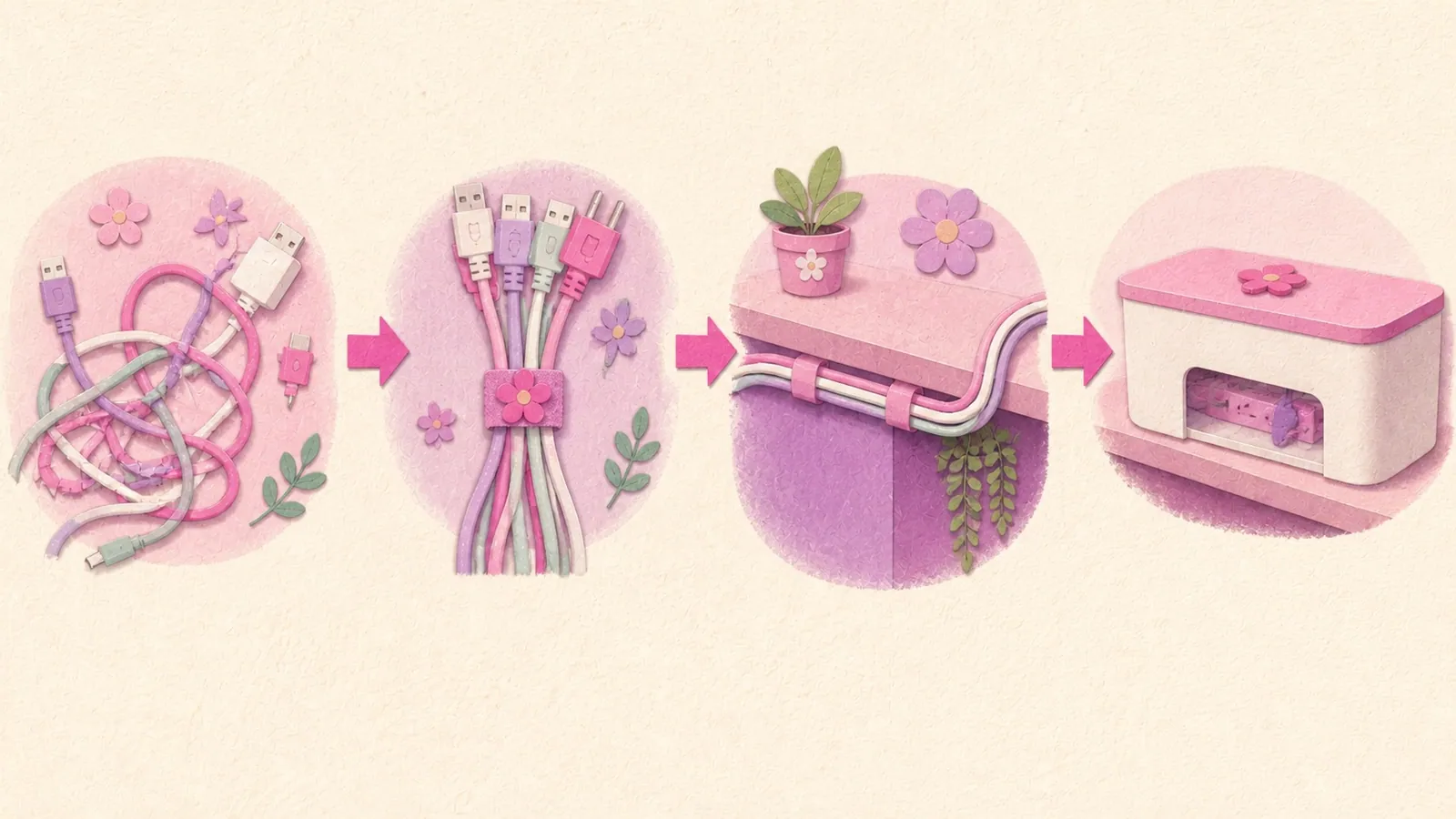
Getting it all back off when you move out
Zero pages in this field cover this, which is odd for a category aimed at renters.
Command strips: pull straight down, stretching the strip slowly against the surface. Never pull it straight out towards you. If one is properly stuck, 3M's own answer is a hair dryer to soften the adhesive and dental floss to cut through the foam.
Raceway and strong tape: D-Line's own instruction is to pull it slowly away using a wallpaper scraper or a sharp knife behind the adhesive, then an adhesive removal spray for residue. Their site also notes that residue on paintwork can be softened with hair dryer heat and will lose adhesion when treated with nail varnish remover or spirits.
A scraper and a knife is not a renter-friendly removal procedure, and that's a fair thing to know before you commit a whole wall to it rather than after.
Clamps and velcro: nothing to remove. Which is most of the argument for them.
Does any of this come in pink?
Barely, and I'd argue you don't want it to.
Pink exists in adhesive cable clips, abundantly, plus one mini raceway. It does not exist in cable sleeves, under-desk trays, cable boxes, magnetic clips, full-size raceway or power strips. I searched each of those categories directly.
But here's the thing. On a white desk, white cable clips disappear and pink ones become twelve small objects in a row that you now look at. Cable management is the one category where you want the parts to vanish rather than to match, so the absence of pink is doing you a favour.
And if you do want a pink cable run, there's a route nobody has written down. D-Line states that all their raceway lengths and accessories are fully paintable. So a white raceway plus a tester pot gets you an exact pink, matched to the rest of your desk, which no product on Amazon can do.
I've put more of this thinking in the 34 pink setup ideas post, where idea 13 is this exact argument.
The order I'd actually do it in
Bundle, shorten, move the strip, then hide what's left.
Most people start at step four, which is why the results are underwhelming. If you bundle everything with ties, replace two over-long cables and move the power strip under the devices it powers, you've fixed the majority of it before you've stuck anything to anything.
Then, and only then: a clamp-on tray for the strip and the bricks, clips underneath for whatever's still dangling and a sleeve for the drop to the floor.
Two minutes before you hide anything, though: touch everything. The Electrical Safety Foundation's line is never to use a cord that feels hot or is damaged. Once it's in a sleeve you're not going to notice, and a cable you never look at is a cable you never check.
Hiding cables FAQ, the questions I get asked most
How do I hide cables on a desk without drilling?
Bundle them with velcro ties, shorten the runs, move the power strip under what it powers, then use a clamp-on under-desk tray for the strip and adhesive clips underneath for the rest. Clamps and ties cost your desk nothing, which is why they come first.
Will adhesive cable clips damage my desk?
It depends what your desk is faced with. 3M supports melamine, painted surfaces and varnished wood. They explicitly say not to use their strips on wallpaper, vinyl or paper surfaces. A lot of budget furniture is finished in paper foil, so check yours before you stick anything to it.
How much weight can I hang under a desk with adhesive strips?
Command's published limits run from 0.5 lb to 7.5 lb depending on the product, and top out at 5 lb for a large hook or strip. 3M publishes no weight rating at all for their cord clips. Weigh what you're hanging.
Can I put my power strip in a cable box?
The Electrical Safety Foundation's guidance is that a covered cord can't shed heat. No safety body publishes guidance on these boxes specifically, so nobody can tell you they're tested. Keep it uncrowded and keep anything with a fan or a vent out of it.
Is it safe to run cables under a rug?
No. Both the Electrical Safety Foundation and the Consumer Product Safety Commission advise against it, because of heat buildup and friction.
My desk has no back panel. What do I do?
Make the hiding place instead of looking for one. A clamp-on under-desk tray gives you the void your desk doesn't have, and sleeving the drop to the floor turns seven visible cables into one.
Is there a pink cable sleeve or a pink cable tray?
No. Sleeves, trays, boxes, magnetic clips and power strips don't exist in pink. Cable clips do. The better route to pink is a white raceway, which the manufacturer states is fully paintable.
How long should I wait before hanging something on an adhesive strip?
An hour for a Command strip, after pressing it for 30 seconds. For heavy-duty acrylic foam tape it's about 90 percent strength at 24 hours and full strength at 72. And if you've painted recently, 3M's instruction sheet says wait 28 days.